

Open a response from the table to read it in the side panel.
The responses table
Open Result in the editor, then choose Responses. The table includes:
A result count above the table tells you how many responses match your current filters.
Filter by status
Click Filters and set Status to one of:- All statuses
- Completed: responses that were completed.
- Skipped: responses that were not completed.
Open a response
Click any row to open a side panel with every answer in that response, plus its status, duration and date.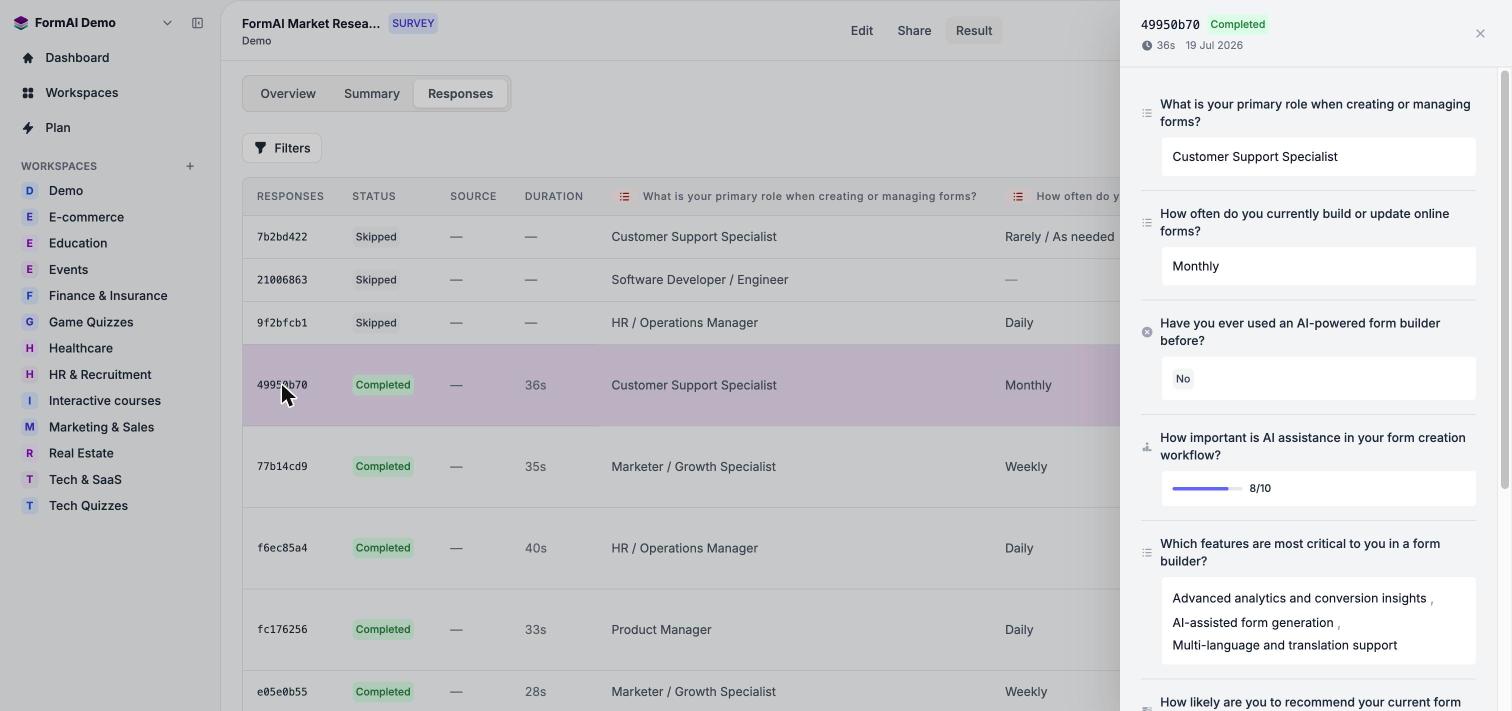
The detail panel for a single response.
Next steps
Question summaries
See answers aggregated per question.
Results overview
Track views, submissions and drop-off.
Roadmap
See what is planned, including export.
FAQ
Quick answers to common questions.