

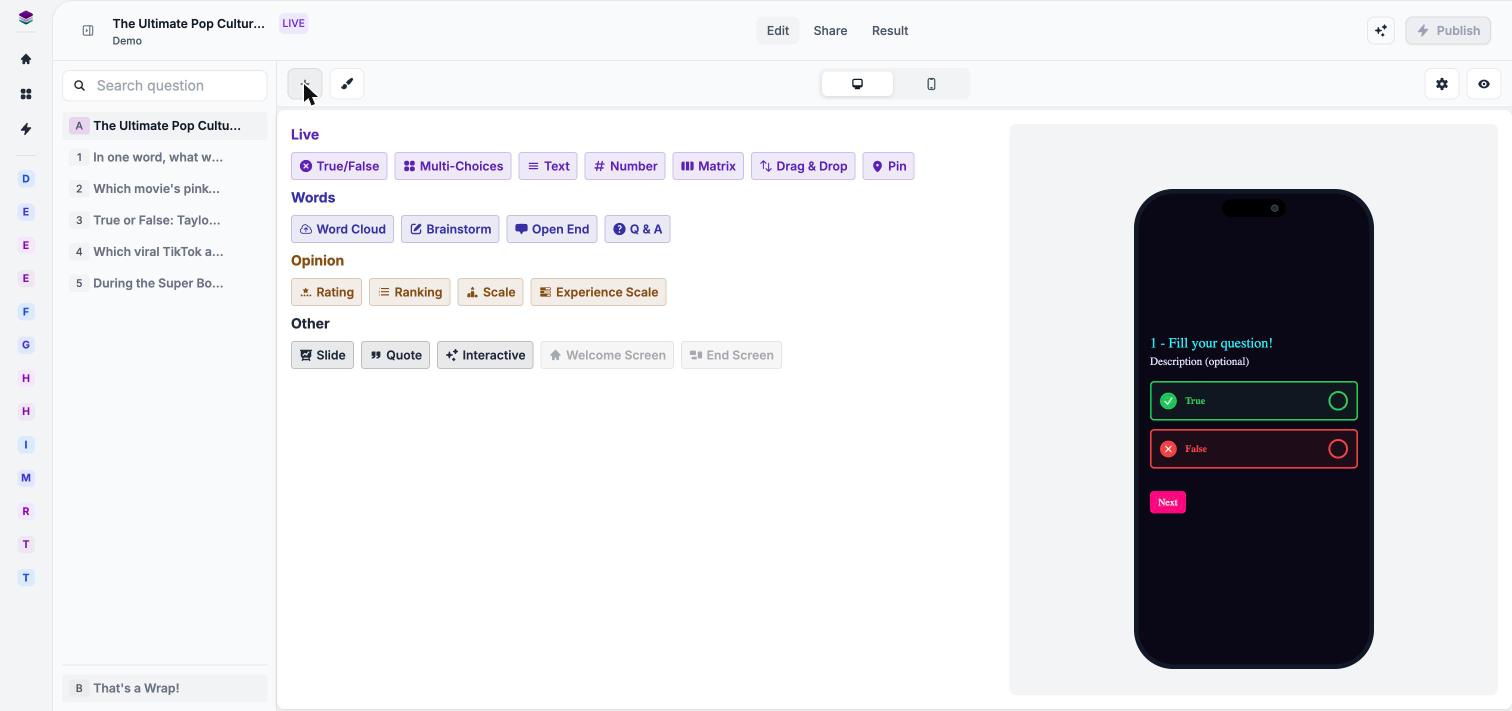
The Add question menu for a Live form.
Step through a Live form's questions, then open its Add question menu.
Live
The core question formats for a session.Words
Questions that gather ideas and open input from the room.Opinion
Questions that measure how people feel.Other
Building blocks that structure your session.Scoring in Live sessions
Scored questions feed the leaderboard during a session. Set points, penalties and correct answers in Field settings. See Scoring and correct answers.Next steps
Host a Live session
Open the presenter view and welcome participants.
Scoring and correct answers
Set points, penalties and time limits.
Survey and Quiz question types
See the types available in Survey and Quiz forms.
Welcome and end screens
Customize the first and last screens.