

AI can make mistakes. FormAI reminds you to review generated content, and you should read every question before you publish.
Ask FormAI Agent for a change, then apply its suggestion.
Generation
When you select New form, you describe the topic in the Draft your survey topic field. FormAI drafts the whole form from that description.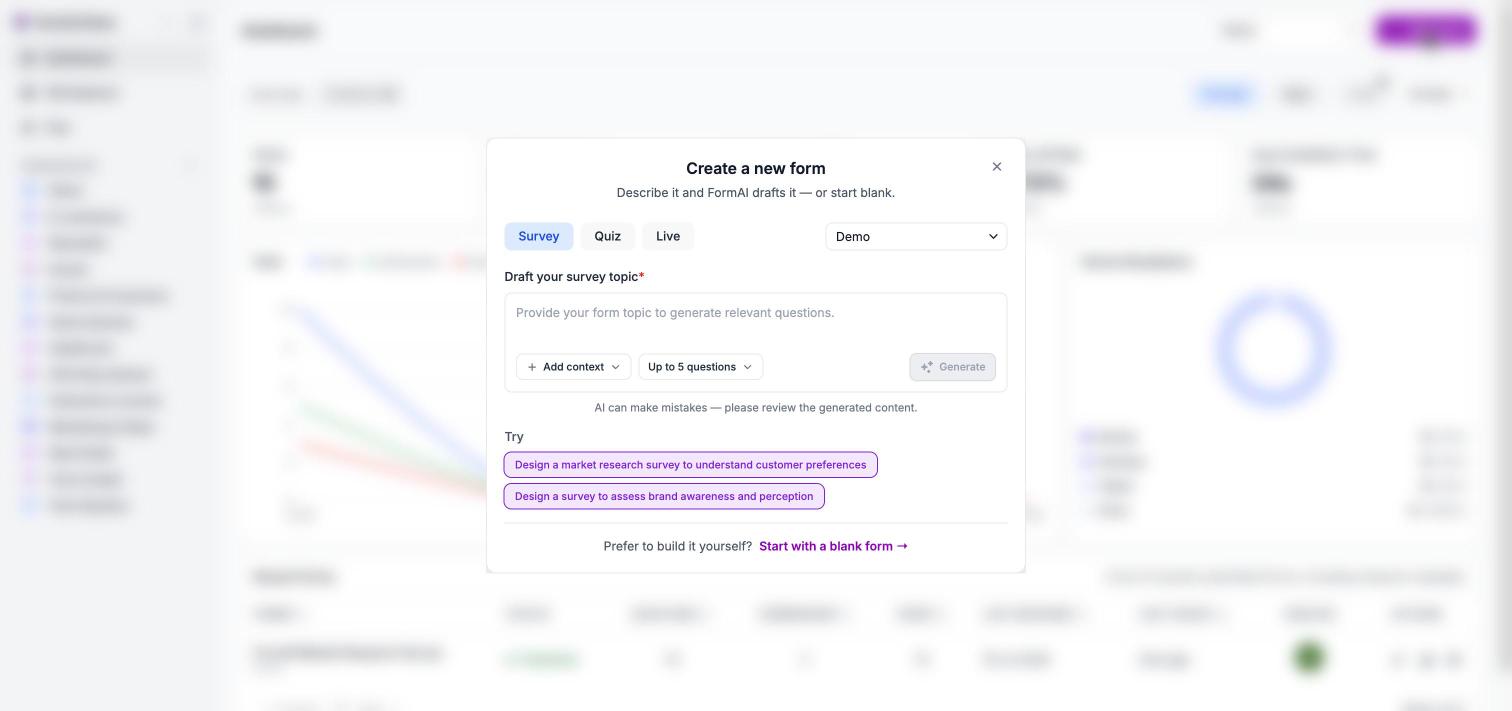
Describe the form, optionally add context, choose a length, and select Generate.
- Type. Pick Survey, Quiz, or Live before you generate.
- Context. Use Add context to draft from a PDF document (questions are extracted into a draft) or a Web page (FormAI drafts questions from its content).
- Length. Choose Up to 5 · quick pulse, About 10 · standard, or 15 or more · deep dive.
FormAI Agent
FormAI Agent is a chat panel inside the editor, currently in Beta. Select the Assistant button in the top bar to open it. You describe a change in plain language and the agent proposes it. Nothing changes until you apply it.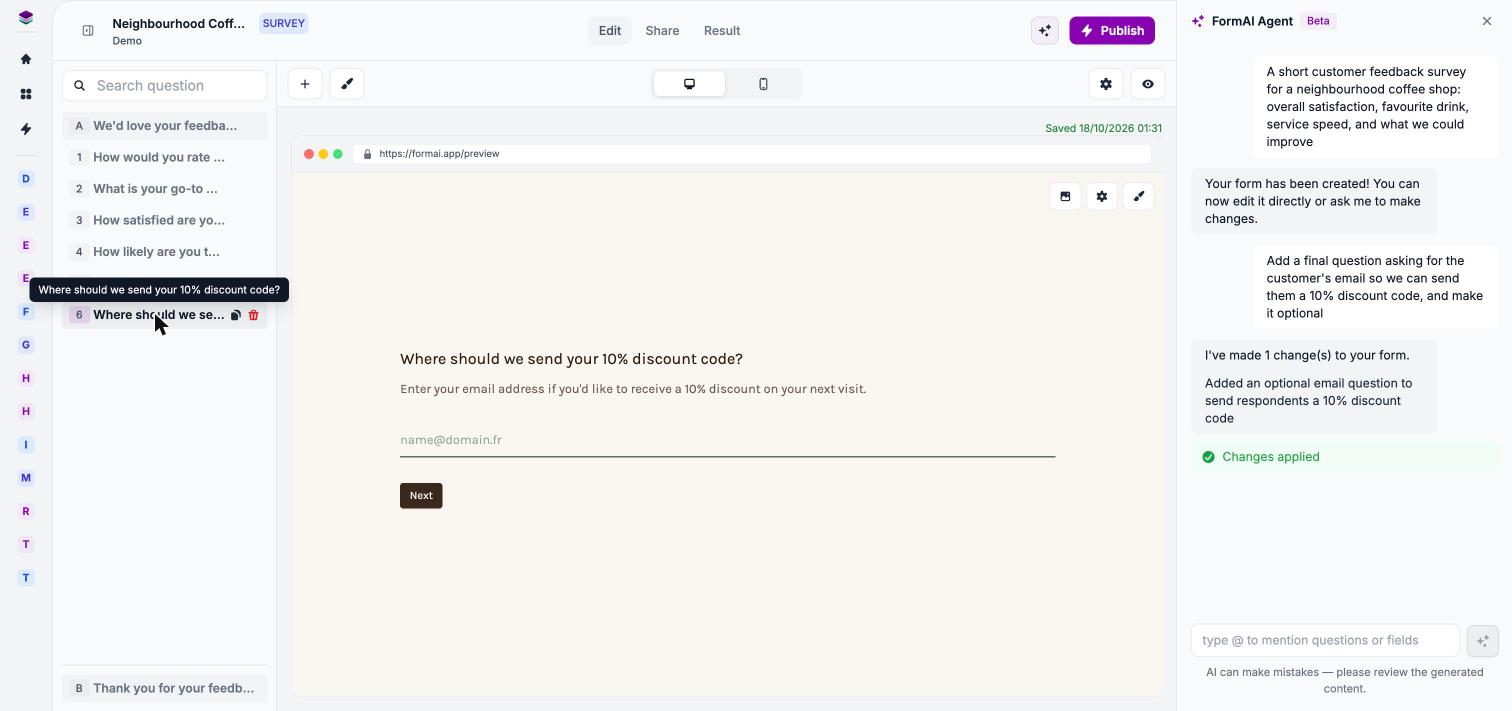
After you apply a suggestion, the outline updates with the new question.
- Ask. Type a request. Type @ to mention a specific question or field. While the agent works you see “Editing the form”, and you can select Stop.
- Review. The agent summarizes what it changed and asks whether to apply the suggestion. Select Preview to see the proposed change in the preview.
- Apply. Select Apply to commit the change. The outline updates, and the conversation stays in the panel.
Themes
FormAI generates a theme that matches your topic when it drafts a form, such as a coffee-colored theme for a coffee shop survey. You can switch to any of the 17 presets in the theme gallery, build your own, or ask FormAI Agent to change it. See Themes.AI credits
AI credits meter AI usage. Each organization gets a monthly AI credit allowance, and every plan includes one. The size of the allowance depends on your plan, so check the pricing page or the Plan page in the app, at ui.formai.app/feature/plan, for current details.
Credits reset every month, and unused credits do not roll over. If your allowance runs out, AI actions pause until the allowance resets, but your published forms keep collecting responses.
See Plans and AI credits.
What AI does not do yet
FormAI does not yet write analysis reports across all of your responses. The Plan page lists “Analytics and AI reports” as coming soon, and the roadmap tracks it. Today, results come from the per-question summaries described in Results.Next steps
Generate with AI
Create your first draft from a description.
Edit with FormAI Agent
Change a form by chatting with the agent.
Plans and AI credits
See what each plan includes.
Quickstart
Create and share a form in about 5 minutes.