

Switch workspaces in the sidebar to see each board of forms by status.
Organization and workspace
FormAI has two levels. They answer different questions.
The organization menu also holds your Theme (Light and other options), Notifications, your profile, and sign out. The AI credit allowance belongs to the organization, not to a single workspace. See Plans and AI credits.
The workspace board
The Workspaces page shows one workspace as a board, with a column for each form status.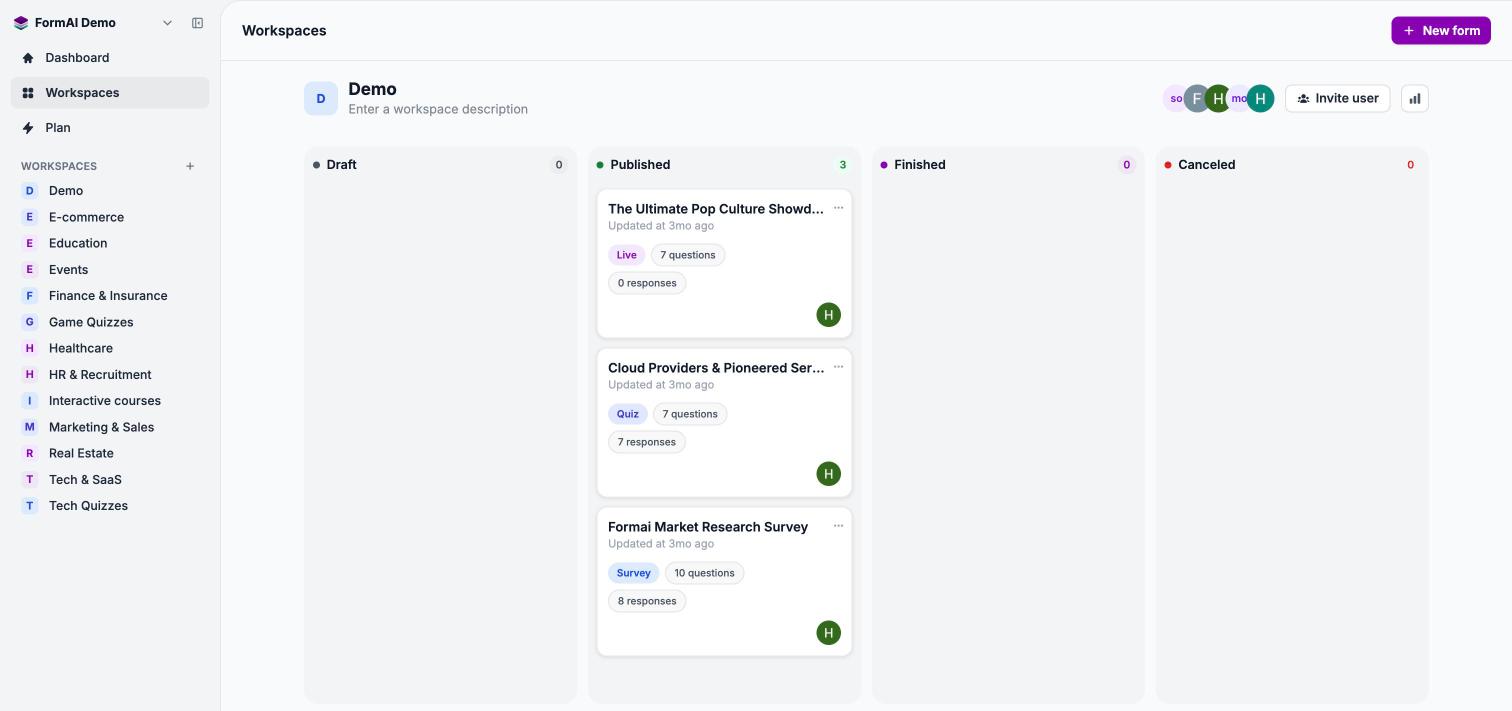
Forms move across the board as their status changes.
Each form card shows the title, when it was last updated, a type badge (Survey, Quiz, or Live), the question count, the response count, and the creator. The ⋯ menu on a card offers Copy link, Edit, Rename, Results, and Delete.
The workspace header shows the workspace name, an editable description, the member avatars, and Invite user. The analytics button in the header opens the Dashboard filtered to that workspace.
People and roles
You add people to a workspace with Invite user. Pick a role, add one or more email addresses, and FormAI sends each person an email invite. Invites expire after 7 days.This is a general description of the roles, not a full permissions list. Check what each person can do in the app before you rely on a role for something sensitive.
Create a workspace
Select + next to the WORKSPACES list in the sidebar. Enter a Workspace name, optionally describe what it is for, and select Create. FormAI suggests names such as Customer Research, Onboarding, and Events.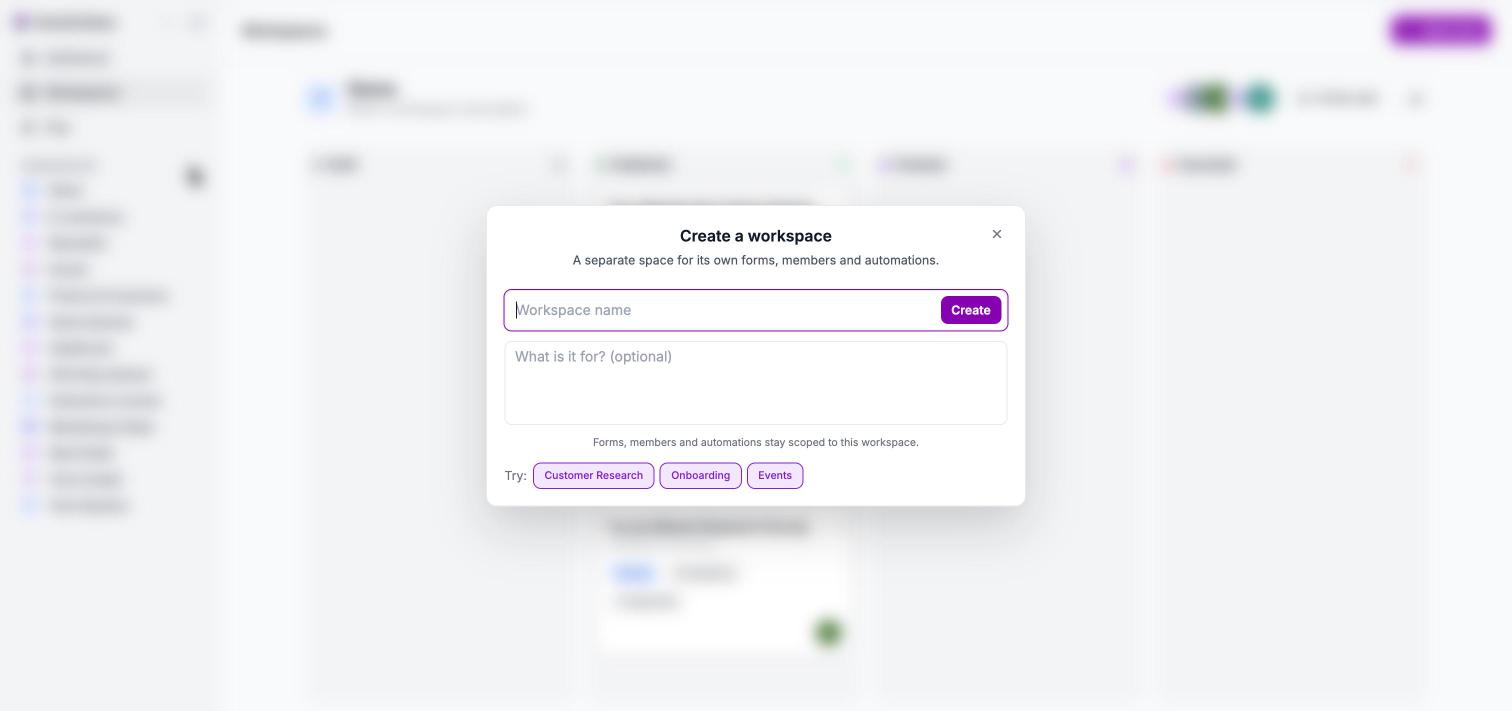
Create a workspace from the sidebar.
Next steps
Manage workspaces
Create, describe, and organize workspaces and their forms.
Invite your team
Send email invites and choose a role.
Form types
Survey, Quiz, and Live: what each one is for.
Plans and AI credits
Where your plan and credit allowance live.