> ## Documentation Index
> Fetch the complete documentation index at: https://docs.formai.app/llms.txt
> Use this file to discover all available pages before exploring further.
# Form settings
> Set the form language, branding, progress bar, and navigation, and rewrite every button label and error message respondents see.
Form settings apply to the whole form, not a single question. Open them from the gear icon in the editor toolbar. There are two tabs: **general** and **customization**.
## General
The **general** tab controls how your form behaves and what respondents see around the questions.
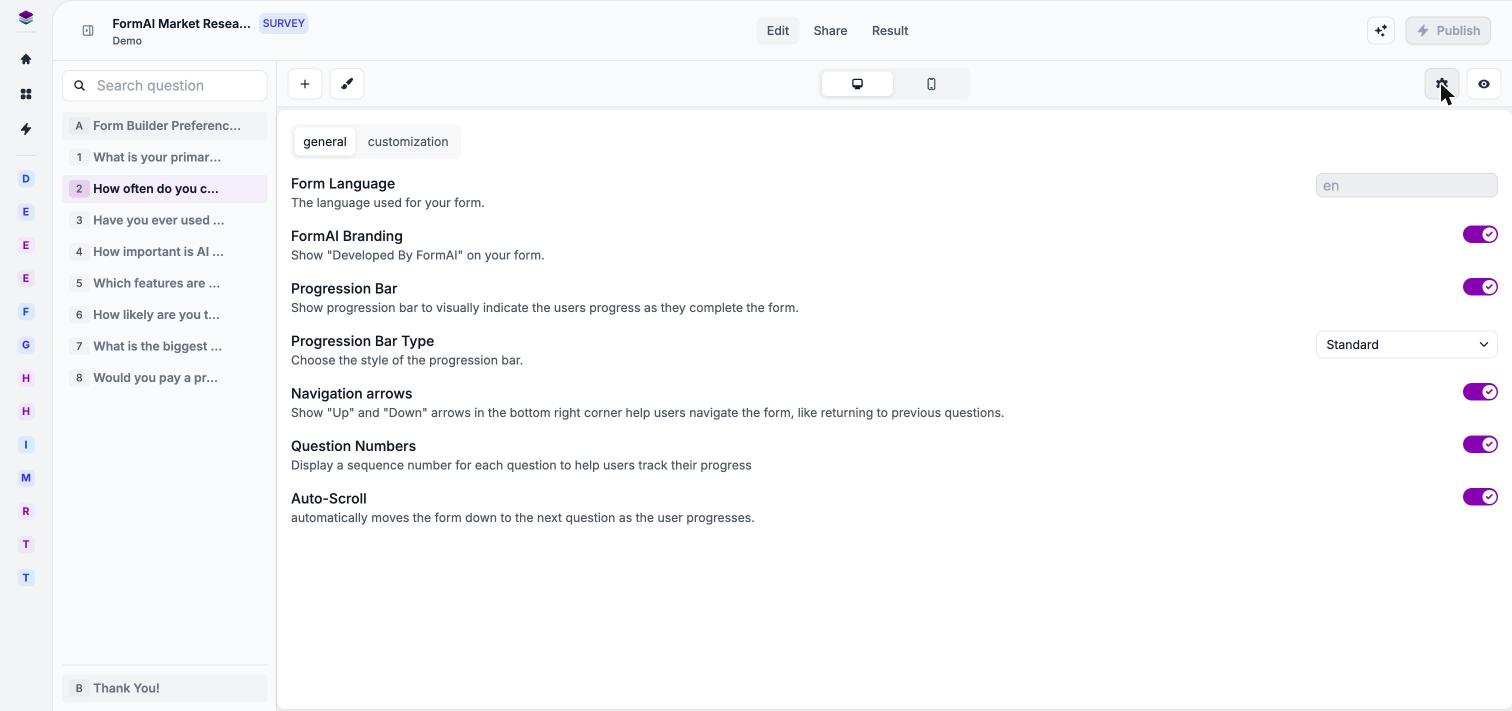 | Setting | What it does |
| - | - |
| **Form Language** | The language of your form. |
| **FormAI Branding** | Shows "Developed By FormAI" on your form. Free plans show the badge; paid plans can turn it off. |
| **Progression Bar** | Shows respondents how far along they are. |
| **Progression Bar Type** | The style of the progress bar, for example Standard. |
| **Navigation arrows** | Up and Down arrows that let respondents move between questions. |
| **Question Numbers** | Shows a number next to each question. |
| **Auto-Scroll** | Controls automatic scrolling between questions. Shown for surveys. |
Removing the "Developed by FormAI" badge is a paid-plan feature. See [Plans and AI credits](/user-guide/account/plans-and-ai-credits).
### Quiz settings
Quiz forms add two more settings on the **general** tab:
| Setting | What it does |
| - | - |
| **Show Answers** | Controls when correct answers are revealed, for example **After each question**. |
| **Show Score** | Displays the score after the respondent submits. |
For correct answers, points, and penalties, see [Scoring and answers](/user-guide/quizzes/scoring-and-answers).
## Customization
The **customization** tab lets you rewrite the text respondents see on buttons, placeholders, and error messages. Use it to match your tone or to write them in your own words. The table lists each setting with the default text shown in the app.
| Setting | What it does |
| - | - |
| **Form Language** | The language of your form. |
| **FormAI Branding** | Shows "Developed By FormAI" on your form. Free plans show the badge; paid plans can turn it off. |
| **Progression Bar** | Shows respondents how far along they are. |
| **Progression Bar Type** | The style of the progress bar, for example Standard. |
| **Navigation arrows** | Up and Down arrows that let respondents move between questions. |
| **Question Numbers** | Shows a number next to each question. |
| **Auto-Scroll** | Controls automatic scrolling between questions. Shown for surveys. |
Removing the "Developed by FormAI" badge is a paid-plan feature. See [Plans and AI credits](/user-guide/account/plans-and-ai-credits).
### Quiz settings
Quiz forms add two more settings on the **general** tab:
| Setting | What it does |
| - | - |
| **Show Answers** | Controls when correct answers are revealed, for example **After each question**. |
| **Show Score** | Displays the score after the respondent submits. |
For correct answers, points, and penalties, see [Scoring and answers](/user-guide/quizzes/scoring-and-answers).
## Customization
The **customization** tab lets you rewrite the text respondents see on buttons, placeholders, and error messages. Use it to match your tone or to write them in your own words. The table lists each setting with the default text shown in the app.
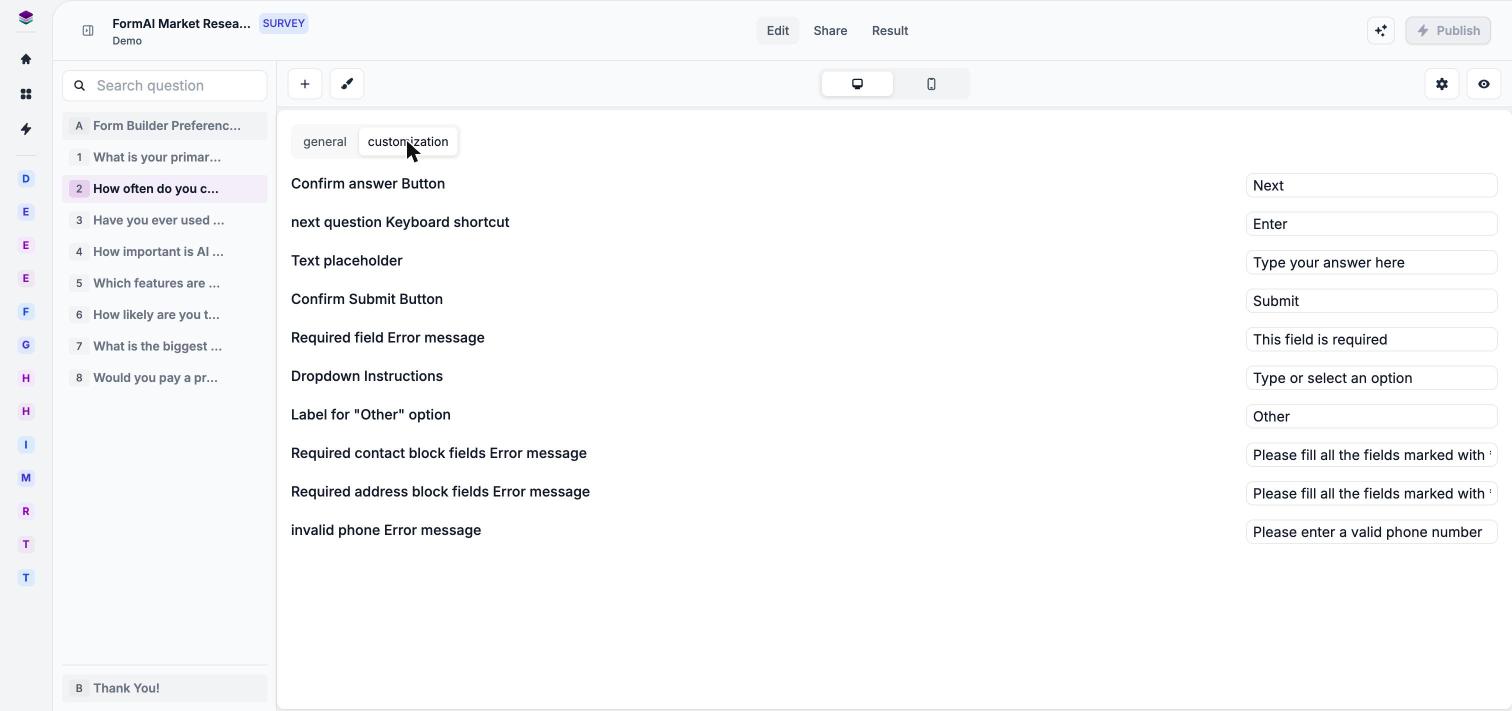 | Setting | What it changes | Default |
| - | - | - |
| **Confirm answer Button** | The button that confirms an answer. | "Next" |
| **next question Keyboard shortcut** | The key that moves to the next question. | "Enter" |
| **Text placeholder** | The hint inside text answer fields. | "Type your answer here" |
| **Confirm Submit Button** | The button that submits the form. | "Submit" |
| **Required field Error message** | The message shown when a required question is left empty. | "This field is required" |
| **Dropdown Instructions** | The hint on dropdown questions. | "Type or select an option" |
| **Label for "Other" option** | The label for the **Other** choice. | "Other" |
| **Required contact block fields Error message** | The message shown when required contact fields are missing. | — |
| **Required address block fields Error message** | The message shown when required address fields are missing. | — |
| **invalid phone Error message** | The message for an invalid phone number. | "Please enter a valid phone number" |
## Next steps
Settings for individual questions, such as Required.
Set up correct answers and scoring for a quiz.
See how your settings look to respondents.
Publish the form and share a link.
This documentation is built and hosted on [Mintlify](https://mintlify.com), a developer documentation platform.
| Setting | What it changes | Default |
| - | - | - |
| **Confirm answer Button** | The button that confirms an answer. | "Next" |
| **next question Keyboard shortcut** | The key that moves to the next question. | "Enter" |
| **Text placeholder** | The hint inside text answer fields. | "Type your answer here" |
| **Confirm Submit Button** | The button that submits the form. | "Submit" |
| **Required field Error message** | The message shown when a required question is left empty. | "This field is required" |
| **Dropdown Instructions** | The hint on dropdown questions. | "Type or select an option" |
| **Label for "Other" option** | The label for the **Other** choice. | "Other" |
| **Required contact block fields Error message** | The message shown when required contact fields are missing. | — |
| **Required address block fields Error message** | The message shown when required address fields are missing. | — |
| **invalid phone Error message** | The message for an invalid phone number. | "Please enter a valid phone number" |
## Next steps
Settings for individual questions, such as Required.
Set up correct answers and scoring for a quiz.
See how your settings look to respondents.
Publish the form and share a link.
This documentation is built and hosted on [Mintlify](https://mintlify.com), a developer documentation platform.